The harperOS design system.
The design system holds the decisions that are true on every surface we make. How each block applies them is the Block Library.
Every value lives in the token file, and the design system names the value and gives its reason.
The test for what belongs in it: a sentence that stays true with no blocks at all belongs in the design system. A sentence that names a block, a class or a part of one belongs in the Library.
Principles
Five principles, each from the foremost authority in its discipline. A choice is right when you can name the principle it comes from.
| Principle | Authority | It asks | It demands |
| Restraint | Vignelli | How disciplined? | A small, fixed set of tokens used everywhere, and generous space. |
| Signal | Tufte | What survives? | Every distinct style carries distinct information, and anything that carries none is cut. |
| Voice | Hoefler | How does it speak? | Each typeface has one job: the serif opens, the sans says, the mono labels. |
| System | Frost | How is it built? | Every surface is assembled from existing parts, and a new part joins the system before any page uses it. |
| Affordance | Norman | Does it show what it does? | Anything clickable looks clickable and answers when used, and the next move is obvious. |
The first four govern how a surface looks. The fifth governs how it behaves.
Tokens
The token file (design-tokens.json) is the one machine source. The brand overlay (public/shared/brands/harperos.css) is what pages load, and it carries the same values.
Color
Grounds. A page is made of two surfaces and the lines between them.
Field
--field #F7F7F6
The page on a screen
Box
--alt #FFFFFF
The fill of a box, and the page of a document. Never a section background
Rule
--rule #E2E1DE
The line between sections and around a box
Rule soft
--rule-soft #EFEEEC
Lines inside a box
Ink. Type steps down in three weights of the same near-black.
Ink
--ink #181428
Headlines, strong text, the footer
Ink muted
--ink-muted #434343
Running text
Ink subtle
--ink-subtle #777270
Captions and metadata
The accent. Green marks one thing, and it steps down by hue when it has to carry text.
Accent
--accent #00AF7B
The one mark that carries the signal, and any fill that carries it
Accent text
--accent-text #00A373
Text at 24px and up in the accent, and the arrows and markers that carry it
Accent label
--accent-label #434343
A label under 24px, where no green light enough to read as ours passes
Accent soft
--accent-soft #E6F7F1
The product on screen, where a page shows it
Status colors encode information and appear nowhere else. They are used in diffs, charts and internal dashboards: success #00AF7B, error #FE5606, info #186FFF, warning #D4A017.
Contrast, measured. Text needs 4.5:1 against its ground, and large text 3:1.
| Pair | Ratio | Result |
| Ink on the field | 16.75:1 | Passes |
| Ink muted on the field | 9.23:1 | Passes |
| Ink subtle on the field | 4.43:1 | Large text only |
| Ink subtle on a box | 4.75:1 | Passes |
| Accent on the field | 2.64:1 | Fails |
| Accent on a box | 2.83:1 | Fails |
| Accent text on the field | 3.02:1 | Large text and graphics |
| Accent text on a box | 3.24:1 | Large text and graphics |
| Footer tagline on ink | 5.77:1 | Passes |
| Footer notice on ink | 4.26:1 | Large text only |
The bright accent fails as text at every size, so green text steps down by hue rather than by lightness.
Text of 24px and up takes the accent text, which passes the 3:1 a large line and a graphic need.
A label under 24px takes ink, because no green light enough to read as ours passes 4.5:1.
A link in prose carries a green underline, so it still signals itself with its text in ink.
The text greens ship on the staging drafts first. A staging page loads harperos-next, which adds the accent text, the accent label and the link underline to the brand overlay. The live overlay takes them with the public-site switch (open decision 4), and until then a live page sets its green text in the accent.
Type
Three faces, one job each. A fourth face is a defect.
| Face | Its job | Fallback stack |
| Ponomar | Opens: the page title, a section title, the next step, the wordmark | Tiempos Headline, Georgia, serif |
| Inter | Says: titles below a section, every sentence, box text, quotes, the pull line | system-ui, -apple-system, Segoe UI, sans-serif |
| JetBrains Mono | Labels: section labels, row labels, attributions, captions, every numeral | SF Mono, Menlo, monospace |
Ponomar
Opens: the page title, a section title, the next step, the wordmark
Aa Bb Cc Dd 0123456789
Inter
Says: titles below a section, every sentence, box text, quotes, the pull line
Aa Bb Cc Dd 0123456789
JetBrains Mono
Labels: section labels, row labels, attributions, captions, every numeral
Aa Bb Cc Dd 0123456789
Email cannot load web fonts, so an email uses the fallback stacks: Georgia to open, a system sans to say, a system mono to label.
The scale. Every size on a screen is one of these rungs.
A register sets the headline rungs for a whole family of pages, never for one page.
A child never outweighs its parent: a label under a heading sits on a smaller rung than the heading, and two labels at one level share one size.
| Rung | Standard | Private overview | Dense | Article |
| Page title (H1) | Ponomar clamp(40px, 8vw, 64px) | Ponomar clamp(32px, 4.8vw, 48px) | As standard | As private overview |
| Section title (H2) | Ponomar clamp(32px, 4.8vw, 48px) | Ponomar clamp(32px, 4.8vw, 48px) | Ponomar clamp(32px, 5.5vw, 40px) | Ponomar clamp(24px, 3vw, 30px) |
| Next step | Ponomar clamp(24px, 3vw, 30px) | As standard | As standard | As standard |
| Pull line | Inter 600 20px, held to 640px with the accent rule | As standard | As standard | As standard |
| Subsection title (H3) | Inter 600 clamp(20px, 2.6vw, 24px) | As standard | As standard | As standard |
| Subhead | Inter clamp(16px, 1.8vw, 18px) | Inter clamp(16px, 1.8vw, 18px) | As standard | Inter 18px |
| Quote | Inter 16px | As standard | As standard | As standard |
| Body and point title | Inter 16px, the point title at 600 | As standard | As standard | As standard |
| Box text | Inter 15px | As standard | As standard | As standard |
| Figure | JetBrains Mono clamp(26px, 4vw, 34px) | As standard | As standard | As standard |
| Price | JetBrains Mono clamp(30px, 4vw, 40px) | As standard | As standard | As standard |
| Labels | JetBrains Mono 13, 12 and 11px, capitals, tracked | As standard | As standard | As standard |
Page title (H1)
Ponomar clamp(40px, 8vw, 64px)
Every expert you need.
Section title (H2)
Ponomar clamp(32px, 4.8vw, 48px)
One environment for the whole company.
Pull line
Inter 600 20px, held to 640px with the accent rule
People direct. Agents execute.
Subsection title (H3)
Inter 600 clamp(20px, 2.6vw, 24px)
How the work runs
Subhead
Inter clamp(16px, 1.8vw, 18px)
The subhead states the idea and holds to two lines.
Body and point title
Inter 16px, the point title at 600
Body text carries the argument, one idea to a sentence.
Box text
Inter 15px
Figure
JetBrains Mono clamp(26px, 4vw, 34px)
Price
JetBrains Mono clamp(30px, 4vw, 40px)
Labels
JetBrains Mono 13, 12 and 11px, capitals, tracked
Every private overview uses the private-overview register, and competitive-intelligence pages use the dense one.
The site’s articles and press release use the article register, named Oct 2, 2026 from the rungs above, with no size of its own.
Every other page uses the standard register (open decision 1).
Running text never drops below 16px. The only smaller text is a mono label, or box text at 15px.
The document surface has its own scale in points, in the token file under type_scale.page.
Space
One scale of ten steps, and every distance on a page is a step on it.
--s14px--s28px--s312px--s416px--s524px--s632px--s748px--s864px--s996px--s10128pxLayout
- Width. Content runs to 1,180px.
- Gutters. The side margin is 16px on a phone, 32px from 768px and 64px from 1024px.
- Breakpoints. 768, 1024 and 1440px, and no others.
- Measure. Body text holds to 60 characters. On a private overview a title runs to 816px and a subhead to 720px.
- Grid. No column grid is defined, so each block sets its own columns (open decision 2).
Shape, depth and motion
- Square. Every corner is square, photos and icons included.
- Flat. No shadow and no gradient. Depth comes from a 1px rule and a white box on the field.
Motion
A block arrives once, as it scrolls into view.
It rises 12px and fades in over 400ms on an ease-out curve.
Each child after the first follows 70ms behind the one above it, to a ninth child at 560ms.
Nothing moves again once it has arrived.
A page that opts into motion runs shorter and sharper. Every piece takes 300ms on cubic-bezier(0.23, 1, 0.32, 1), a strong ease-out, so a thing responds at once and settles.
| What moves | How it moves |
| Workflow steps | 120ms apart, to a tenth step at 1080ms |
| An arrow between steps | Draws across in 300ms |
| A branch bracket | Draws down in 300ms, 150ms after its step; the tie across in 250ms |
| A function in the column | Lights 100ms after the one above it, and its underline 120ms after that |
| The steps after a column | Wait 900ms, so the column reads before the line moves on |
| A figure | Rises 8px behind its own label, in 300ms |
| Logo rows | 45ms apart, and the marks within a row 30ms apart |
The nav moves at its own pace.
The dropdown chevron turns in 120ms and the menu bars fold to the X in 200ms, while the panel itself appears at once with no fade.
A hover is quieter still: a button fades to 0.85 in 150ms, and the next step’s border wakes while its arrow leans 4px, both in 200ms.
Animated images
Every GIF we make comes from one engine, br-gif, so the homepage, a client page and a proof-run email look alike and improve together.
- Two sources, said plainly. A drawn session shows how the product works in general. A recorded session shows one real run, every line from its record, and says "a real session" on its frame.
- The first frame is the finished state. A reader who never sees it move still sees the point.
- Ten frames a second, 96 colors, ordered dither. Desktop is drawn at the size it is shown, and phone at 390 pixels wide.
- On a page, it plays once and holds, with a still for readers who turn motion off, as the rest of the motion canon does. In an email it may loop, because a reader opens it later and should still see it move.
- The web may take an MP4 beside the GIF, at a fraction of the size. Email takes the GIF, which every client plays.
- An email GIF stays under 20 MB and carries a link under it. Gmail’s 25 MB cap is the ceiling, and a client that blocks the image still reaches the session through the link.
Charts and diagrams
Charts
- A small dataset is a table. A reader takes eight numbers off a table faster than off a picture of them.
- Color scales with the number of series. One series takes the green and everything else stays in the ink ramp, because the green marks the point the chart is making.
- Several series take the status colors, which are success, error, info and warning, and never an invented color. Four is the cap: a chart that needs a fifth is the wrong chart.
- A diff reads in three of them, with success for added, error for removed and info for modified or context, and no other color.
- Status colors encode and never decorate. They belong in diffs, charts and internal dashboards. On a page that sells, a second series stays in the ink ramp.
- Labels and values are mono, and the rest is data ink. Every gridline separates data, and a third dimension or a fill for mood comes out.
- A trend line may run diagonally, because it is data. A connector never does.
Diagrams
- One idea per diagram. A second idea is a second diagram.
- Nodes are square. A rounded corner fails the build, which is how the geometry stays one thing across every surface.
- Lines run only across or down. A diagonal makes the reader measure an angle that carries no meaning.
- Radial, hub-and-spoke and orbit layouts are out. A center with satellites forces diagonal spokes and reads as limbs rather than as a system.
- A line is a hairline. It is 1px in the rule color where it separates. A connector carrying an arrowhead takes the icon’s 1.5 line in the muted ink, so the line and its head read as one stroke.
- Labels are mono, and none renders below 11px. Below that a label is decoration, because nobody reads it on a phone.
- One green mark, on the element that carries the point.
- Measure at 375px and at 1280px. The size you drew it at is the one size that proves nothing.
The document surface
A published Google Doc is the same system at document scale.
Publishing applies it in the same call, so a published Doc cannot be unformatted.
The profile is code: tools/runtime/google-workspace/src/format_gdoc.py reads its sizes, spacing, faces and colors from the token file.
Two tiers. document is the default that every published Doc inherits.
proposal is the document tier plus co-brand restraint: the client is named in our type, the client-logo placeholder is skipped, and the header meta reads APPROACH · CONFIDENTIAL where a document reads CONFIDENTIAL.
A legacy tier survives for rollback, and v2 is an older name for proposal.
The scale is in points, and it lives in the token file under type_scale.page: the title at 34pt, H1 at 28, H2 at 24, H3 at 20, H4 at 11, body at 11 and the dek at 12. The spacing above and below each level lives beside it under type_scale.page_spacing, and the formatter hardcodes none of it.
The faces carry their jobs. A heading takes the display face and is never bold.
H4 is the mono label, in the accent.
Body is ink-muted on a white page, and the dek, which is the single paragraph after the title, is the body face one step above it.
Green reaches the links and that mono label, and nothing else.
The one gray rule is the section line. It is a 0.5pt border above every section heading, with 24pt of padding under it. A native horizontal rule cannot be brand-styled through the API, so the publisher emits none for a markdown --- and the formatter strips any it finds.
The header and the footer are typeset, never images, and neither carries a rule. The header sets the wordmark in the display face at 13pt with the underscore in green, left, and the mono meta line right. The footer sets the wordmark alone at 12pt in the subtle ink.
A table reads from type and one rule. A data table sets 9pt.
Its header row and its first column are mono, the header row in the accent and the body in muted ink.
Rows are separated by 0.5pt horizontal rules, and there is no vertical rule, no outer border and no header underline.
The header row takes the field color and the body rows take white.
A meta block or a table of contents takes white cells, with one hairline above the block and one below.
The sheet surface
The Build & Deployment Master is the same system at grid scale, in every deployment that carries one: its Task, Milestones, Plugins, System, People, Schedule, Delivery Timeline and loop tabs.
The profile is code: tools/runtime/build_master/tab_format.py reads its faces, sizes and colors from type_scale.sheet in the token file.
The other workbooks we render, such as the sales CRM and the trackers, still use the older profile in tools/runtime/lib/sheet_format.py, and this section does not govern them yet.
The top five rows are the same on every tab.
- Row 1 is the title, in Inter 14 in ink, and it is never bold.
- Row 2 is the subtitle, in Inter 9 in the subtle ink.
- Row 3 is an empty spacer.
- Row 4, the band that names each group of columns, and row 5, the column headers, are JetBrains Mono 9 bold in the muted ink on the screen field, with no line under either.
- Rows 1 to 5 are frozen.
The definition rows are folded away. The DEFINITION, SOURCE and TRIGGER rows under the headers are one row group, closed when the tab opens.
They are JetBrains Mono 8 in the subtle ink.
Nothing on a sheet is ever italic.
A column’s face says where its values come from. A computed or designed column is mono, because code wrote it or the agent proposed it.
A captured column is Inter, because a person stated it.
A column whose cells are sentences is Inter too, whatever its source.
A value the code derives from what is built, such as a skill’s agent, its knowledge, its adversarial agent, its output or its status, is computed; "designed" names only a proposal that is not built yet.
Color marks a link or a status, and nothing else.
- Body text is one ink in every column.
- A link is the brand blue,
#186FFF, underlined, so a reader tells a link from text at a glance. - A status colors its own text, on white.
- A chart on a sheet, such as the Delivery Timeline, takes its series from the status colors, as every chart does.
- The grid itself is ink, muted ink, subtle ink, the screen field, white and the rule color. Gridlines are off, and one hairline in the rule color runs under each data row, across only.
Every column is as wide as its content needs.
- A header is never cut.
- A column is sized where the bulk of its content is: its median line, and wide enough that nine words in ten never break across a line.
- A column that lists links, like Knowledge, is as wide as its longest link, so each reads whole on one line.
- A filter button or a dropdown adds its own width.
- The widest a column grows is set in the token file. Past it the cell wraps, and nothing is ever cut off.
Weight marks hierarchy, and nothing else. A heading’s name on Milestones, a task title and its function, a plugin’s name and the Status pill are bold. Every other body cell is regular.
Every task row is four lines tall. A task reads the same height whatever it holds, so the grid scans as a list. A People row is the same height.
The check runs on every tab. master_look.py T1 reads every tab and names each departure from this profile. On People, Schedule and Delivery Timeline it reads the top five rows only, because their bodies come from delivery_plan.py, which runs its own fit check.
harperOS carries an older copy. This profile lives in the Amerikas deployment. harperOS’s own tab_format.py and master_look.py predate it, so a new deployment built from harperOS starts on the older profile until the two are merged.
Voice and downloads
The words on every surface follow the company’s writing standard, which is a separate canon: plugins/system/system-workspace/knowledge/A08-Voice-and-Formatting-Standards.md.
It holds the principles, the sentence and paragraph discipline, the format each kind of document takes, and the line read every client-facing page passes.
The design system sets how a surface looks, and that standard sets how it reads.
The published assets live at harperos.ai/assets.
Three banners sit there, each with its own PNG download: the X header at 1500 by 500, the LinkedIn personal banner at 1584 by 396, and the LinkedIn company banner at 1128 by 191.
All three are rendered from one source file, so the tagline is changed in one place and every banner re-renders at its exact published size.
LinkedIn and X publish no API for a profile banner, so a new file is uploaded to each by hand.
Laws
A law holds on every block and every page. Each carries its reason and says how it is held.
- 1 · The display face opens, and it never stacks. Ponomar marks where a page or a section starts. It sets the H1, the H2 and the next step, and nothing below them. A pull line is set in the text face, never the display face (MC, Oct 6, 2026). Two Ponomar lines never touch, because two openings side by side cancel each other. The renderer’s heading structure holds it; a reviewer judges stacking.
- 2 · A section carries one subhead, and it fits in two lines. A third line turns the subhead into body text at the wrong size. On a phone two lines hold about 76 characters. The renderer holds it on the private overview, and the page check measures it in a browser.
- 3 · A heading is a sentence, and so is every line under it. A reader takes in a sentence without effort and has to rebuild a fragment, so a section’s heading carries a subject and a verb in the active voice. Two things are not sentences: a box’s title, which is a name of four words or fewer with the statement in the box’s text, and a section label. The renderer holds box titles, and the line read judges the headings.
- 4 · Green marks one thing and never floods. The accent marks a link, the phrase a heading turns on, a section label, a box footer and the next step. It never fills an area and never sets a mood. The build refuses a green fill, and a reviewer judges placement.
- 5 · One field, and the footer is the only dark surface. Sections separate by space and a 1px rule, never by a change of background. A page stripped of every background still reads from type and space. The block canon holds it, because it offers no section background.
- 6 · One primary action per view. The primary button is ink, a ghost button beside it is the quieter way to read further, and a text link moves within prose. Two primary actions compete and neither wins. The renderer holds it on the hero, which takes one primary and at most one ghost.
- 7 · A set fills whole rows. Three items sit as three and four as two by two, never three and one. A broken row reads as a missing item. The renderer refuses a ragged row.
- 8 · Everything clickable shows its states and is big enough to hit. It has a hover, a visible focus ring and a pressed state, plus a disabled state where one applies. It measures at least 44 by 44px. A thing that does nothing never looks like a control. The phone check measures tap size, and no block documents its states yet (open decision 3).
- 9 · Phone first. A page is built for a 375px screen and enhanced upward with min-width rules only. Nothing scrolls the page sideways. The build’s overflow checks and the 375px render hold it.
- 10 · A visual shows what text cannot, and it is built from the atoms. Its atoms are square boxes, 1px lines that run only across or down, mono labels and one green mark. A visual that restates its points in boxes is text in costume. The embed check holds its tokens, and a reviewer judges the rest.
- 11 · Text meets the contrast floor. Text holds 4.5:1 against its ground, and large text and graphics hold 3:1. The design-system page computes every pair from the brand overlay and refuses a ratio that differs from the table above.
Surfaces
Every artifact belongs to one of five surfaces, and the tokens map onto each.
| Surface | Field | Faces | Interaction | Canonical instance |
| Screen | #F7F7F6 | Web fonts | Full | The website and every client page |
| Document | #FFFFFF | Embedded fonts, the point scale | None | A published Google Doc; a PDF is the same surface |
| Sheet | #FFFFFF, the band and headers on #F7F7F6 | Inter and JetBrains Mono, the point scale | Links | The Build & Deployment Master |
| The screen tokens, inlined | Fallback stacks | Links | A newsletter; a plain reply stays unstyled | |
| Social tile | #181428 | Inter headline, Ponomar wordmark | None | The LinkedIn and X banners |
The social tile inverts the field because LinkedIn and X surround it in white, and a light tile would disappear into the feed.
Who can open a surface is separate from how it looks.
noindexhides a page from search and protects nothing.- A public page opens for anyone.
- A page under
/stagingasks for the team’s password. - A client page under
/clients/{slug}opens only through that client’s key link. - Source kept under
local/is never deployed.
Identity
- The wordmark is
harperOS_, in Ponomar with the underscore in green. It recolors for its ground and never changes form. - A client’s OS is named in our type as
{Client}OS_, with only the underscore in green. - The mark is the bare
h, recolored like the wordmark. The rounded badge exists only where a platform requires an app icon. - A partner or client is named in our type, never set beside our wordmark as a second logo. Other companies' products appear as their own logos, at equal optical size.
- People are photographed square on the brand green, with no frame and no filter.
- The footer carries the wordmark, the tagline "People direct. Agents execute. Knowledge compounds." and the copyright. A public page adds its legal links: Terms, Privacy and Support.
Marks
Each mark is made for one ground, and the file name says which: a light ground takes the ink wordmark, and the ink ground takes the light one.

Wordmark
The wordmark on a light page
harperos-wordmark-light.png

Wordmark, reversed
The wordmark on the ink footer or a dark tile
harperos-wordmark-dark.png

Mark
The app icon and avatar, square
harperos-mark.png

Mark, reversed
The bare h on a dark ground
harperos-mark-white.png

Favicon
The browser tab
favicon.svg
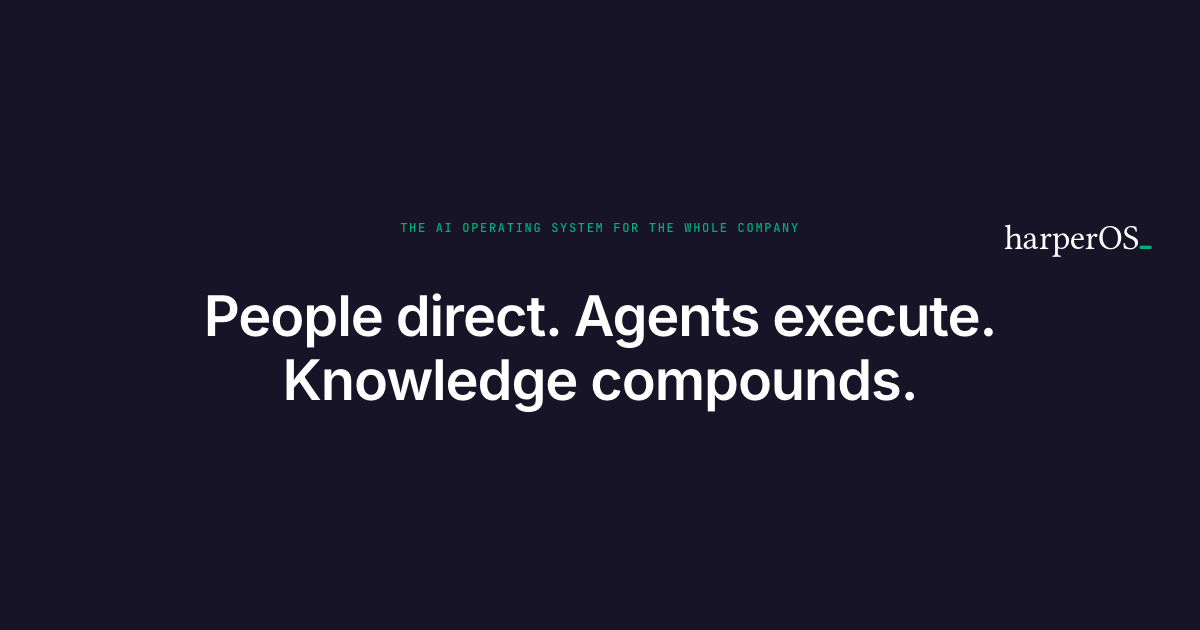
Share image
The preview when a link is shared
og-image.png

LinkedIn company banner
The company page on LinkedIn
harperOS-banner-linkedin-company-1128x191.png

LinkedIn personal banner
A founder’s profile on LinkedIn
harperOS-banner-linkedin-personal-1584x396.png
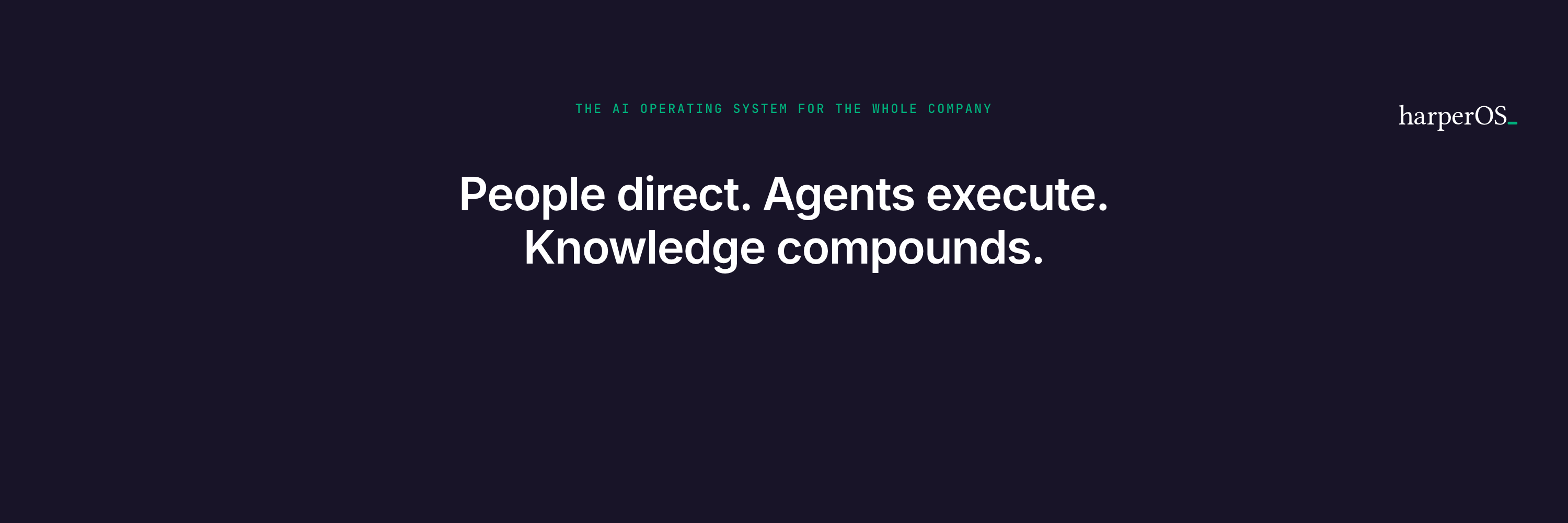
X header
The profile header on X
harperOS-banner-x-header-1500x500.png
Photography
People are photographed square, on the brand green, with no frame and no filter. The same file works on the site, on LinkedIn and in a deck.




Icons
One icon style: a 24px grid, a single 1.5px line, square caps and miter joins, in ink. Each icon carries exactly one concept, and every icon comes from one registry.
A sparse section stays sparse. A section may carry one registry icon above its label, when the icon names the section’s concept.
It arrives with the section’s reveal and never moves again.
No section gets its own drawing (MC, Oct 6, 2026).
grid
The functions of a company, the whole company
doc
What people know, written down
step
Getting better, one step at a time
person
Expertise, what one person knows
bolt
Getting the work done
check
Quality, done right
cycle
Learning, the loop that repeats
archive
Kept by the company
moon
Outside the working day
sun
During the working day
compass
Direction, people direct
play
Execution, agents run the work
layers
Compounding, knowledge that builds on itself
chat
A conversation, a message
key
Ownership, the permission to change
sliders
Control, deciding what runs on its own
scale
Parity, as good as your person
shield
Verification, work that has been checked
search
Evidence, the sources behind an answer
globe
The website, and being found in search
wave
Voice
calendar
Time, how soon
dash
General management
trend
Sales, growth
megaphone
Marketing
package
Operations, the goods that move
banknote
Finance
people
People and HR, the team
plus
More of the same kind
quote
Someone else's words
chip
The system the work runs on
cap
Training, people learning the work
pause
Waiting for a person
book
The rules the system runs by
lock
Private, data that stays yours
addperson
Adding a person to the system
badge
A person's own access
segments
Customers, grouped by what they do
film
Content, the series a studio makes
app
The app, the product people use
agent
An agent, one role the system runs (every agent card carries it)
delivery
Delivery, the client work the firm sells
data
Data, the systems it is read from
harp
Holding and passing on knowledge, the harper (the name's origin)
arrow
Direction of travel: the diagram arrow and the next step
Buttons and links
A view carries one primary action.
A ghost button beside it is the quieter way to read further, and a text link moves within prose.
Each shows a hover, a visible focus ring and a pressed state.
A whole card that goes somewhere is one link. The entire card is the target, never a word inside it, and it shows a hover, a focus ring and an arrow that says go.
| Action | Kind | Where it goes | Use |
| Book a problem-mapping session | primary | https://calendar.notion.so/meet/mchauliac/harperos | The one main action on a page, the same label in the menu and in the page (Oct 2, 2026) |
| Read our thinking | ghost | /articles | The quieter way to read further |
| The Block Library | link | /design-system/blocks | A link inside prose |
Theming
A brand is one token file. Everything else in the system is shared.
Three layers, and only the first one changes per brand.
- The brand overlay (
public/shared/brands/{slug}.css) holds the values. It carries every color, the three faces with the font files behind them, the ten space steps, the content width and the gutter. - The block sheet (
public/shared/client-site.css) holds what a block is. It readsvar()and states no value of its own. - The page shell is the renderer. It links the overlay first and the block sheet second, preloads that brand’s fonts, and emits the same markup whichever brand it is.
A client’s design system is a copy of the overlay with their values in it. The content modules do not change and no block changes.
Three things land outside the overlay: the family names its brand (brand: "slug" in its _family.mjs), the renderer’s brand registry names the font files worth preloading, and those woff2 files ship under /shared/fonts/.
The renderer refuses a brand slug it does not know, so a missing registration fails the build instead of the page.
The contract is 26 tokens, and the block sheet uses every one of them.
| Group | Tokens |
| Color | --accent --accent-soft --ink --ink-muted --ink-subtle --rule --rule-soft --field --alt --footer-line --footer-conf |
| Type | --font-display --font-body --font-mono |
| Space | --s1 through --s10 |
| Layout | --maxw --gutter |
A token no overlay defines is read with a fallback. The block sheet writes var(--accent-text, var(--accent)), so a brand that names no text green falls back to its own accent.
That is how a preview overlay adds a token without touching any other brand.
--measure is the opposite case: nobody defines it, and that undefined value is the approved full-width rendering.
A value in the wrong layer fails the build. The block sheet may carry no raw color and no font literal.
An embedded visual is held to the same bar inside its own file, so a swap reaches the visuals as well as the pages.
That check is the standing guarantee that a rebrand is a file.
The swap is proved by rendering it. public/shared/brands/_swap-test.css is a deliberately contrasting fixture: a blue accent, a Georgia display face and its own ink ramp.
It is never assigned to a client.
An acceptance case renders the same page under it and under ours, and it fails when the markup differs by anything other than the token file the page links.
Building a client’s design system, in order.
- 1 · Choose the values: the accent, the ink at three weights, two rule weights, the field, the box and the two footer tints.
- 2 · Measure each pair against the ground it sits on before adopting it, and hold running text to 4.5:1.
- 3 · Choose three faces, one job each, and ship their woff2 files.
- 4 · Copy the overlay, replace the values, and keep every token name exactly as it is.
- 5 · Name the brand in the family, register its preloads, render a page, and read it at 375px and at 1280px.
A brand face Google cannot serve takes a page stand-in, chosen by probing. A licensed face (Futura PT, an Adobe or foundry font) loads on the web and in email but never in a Google Doc, Slide or Sheet.
- The token file names the stand-in per role in
font.{role}.stack_page, and the Google renderers read it throughtokens.DISPLAY_PAGE,BODY_PAGEandMONO_PAGE. - The weight and the case are tokens too.
font.display.weightof 600 or more makes Doc headlines bold, andfont.display.case: "upper"sets them in capitals, because a Doc has no text-transform. - Probe the stand-in on real documents before adopting it. The Docs API keeps a face it can render and silently drops one it cannot, and the Google Fonts catalog does not predict which.
- Jost was refused on every document tested.
- League Spartan was refused on some documents and kept on others.
- Montserrat was kept on every document.
- Send bold as the bold flag alone.
bold: truetogether withweight: 700renders regular. - Read a Doc back against its named styles. A run whose size or bold equals its named style returns neither, so a check that reads only inline values reports a correct Doc as broken.
Accessibility
The floor every surface holds.
- Contrast. Text holds 4.5:1 against its ground and large text holds 3:1, and the measured pairs are in the contrast table under Color. The design-system page computes each pair from the brand overlay and refuses to build when a stated ratio differs from the shipped one.
- Focus. Every interactive element takes one ring on
:focus-visible: a 2px outline in the accent text green, offset 2px. That green measures 3.02:1 against the field, the ratio a control holds. - Tap targets. A control measures at least 44 by 44px, which the token file states. The block sheet sets it on the wordmark, the phase tabs, the nav steps, the footer links, the menu button and the calculator controls. No build check measures a rendered target yet, so the phone pass measures them in a browser.
- Reduced motion. Every reveal sits inside
prefers-reduced-motion: no-preference, and the page script returns before it starts anything when a reader asks for less. A reduce rule then stops what is left: every transition, every animation and the smooth scroll. - Alt text. The renderer refuses a portrait that carries no alt text, and it stops on a logo or a mark whose alt is missing. An empty alt still passes, so an image that says something says it in words. An icon is marked
aria-hidden, because the phrase beside it carries the meaning. - Heading order. A page carries one h1, and it is the page title. A section title is an h2 and a subsection title is an h3. The renderer emits no h4, and the type specimen’s sample headings are hidden from the outline, so a specimen never enters it.
- Language. Every page declares
lang="en", the one value the renderer writes.
What is not enforced. No build check measures a tap target, a contrast ratio inside an embedded visual, or the order a screen reader reads a page in. A person runs that pass.
How the system is held
- Values. The token file is the one machine source, and a renderer reads it and never types a value. The brand overlay repeats its colors, and a test fails when the two differ, because a Doc, an email, a Sheet or an invoice reads the file while a page reads the overlay.
- The design-system page. It is generated from this canon and the brand overlay, through the blocks. It refuses to render when a color, a contrast ratio or a heading size stated here differs from what the pages load.
- The build refuses what it can check: raw colors and fonts, rounded corners, shadows, off-scale sizes on block pages, ragged rows and desktop-first media queries.
- Judgment covers the rest, through the creative director’s review against these principles and laws.
Open decisions
- 1 · Three heading registers or one. Standard, private overview and dense all ship today.
- 2 · A column grid. Restraint names a strict grid, and none is defined.
- 3 · States per block. Law 8 requires them, and the Library documents no block’s states.
- 4 · The text greens on the live site. Adopted (MC, Oct 2, 2026): the site family keeps the text-green overlay, and it goes live with the one-step cutover of the public site, every page together.
Sources
plugins/custom/marketing/harper-identity/knowledge/KNW_BR_MC_Block-Library.md, the faces and the ladder.plugins/custom/marketing/harper-identity/knowledge/design-tokens.json, the token file, andtools/runtime/google-workspace/src/format_gdoc.py, the Doc profile.public/shared/brands/harperos.css, the brand overlay, andpublic/shared/client-site.css, the block canon, both in the website repository.HarperOS-Website/src/components/brand/brand.tsandBrandFooter.tsx, the live site.- An independent check of the canon and the
/design-systempage against the code, Sep 19, 2026. It measured the page in a browser at 1280 and 375px. - Contrast ratios computed from the shipped values with the WCAG 2 formula; page counts per register from the rendered HTML under
public/.